01 — INSTALL
Run the Mac agent
A tiny menu-bar app keeps your Mac available on your local network. Pick the folders you want to expose, hit Start.
Cmdora turns your iPhone into a remote for your Mac. Browse folders, run terminal commands, watch live output — anywhere on your local network. No cloud, no SSH setup.
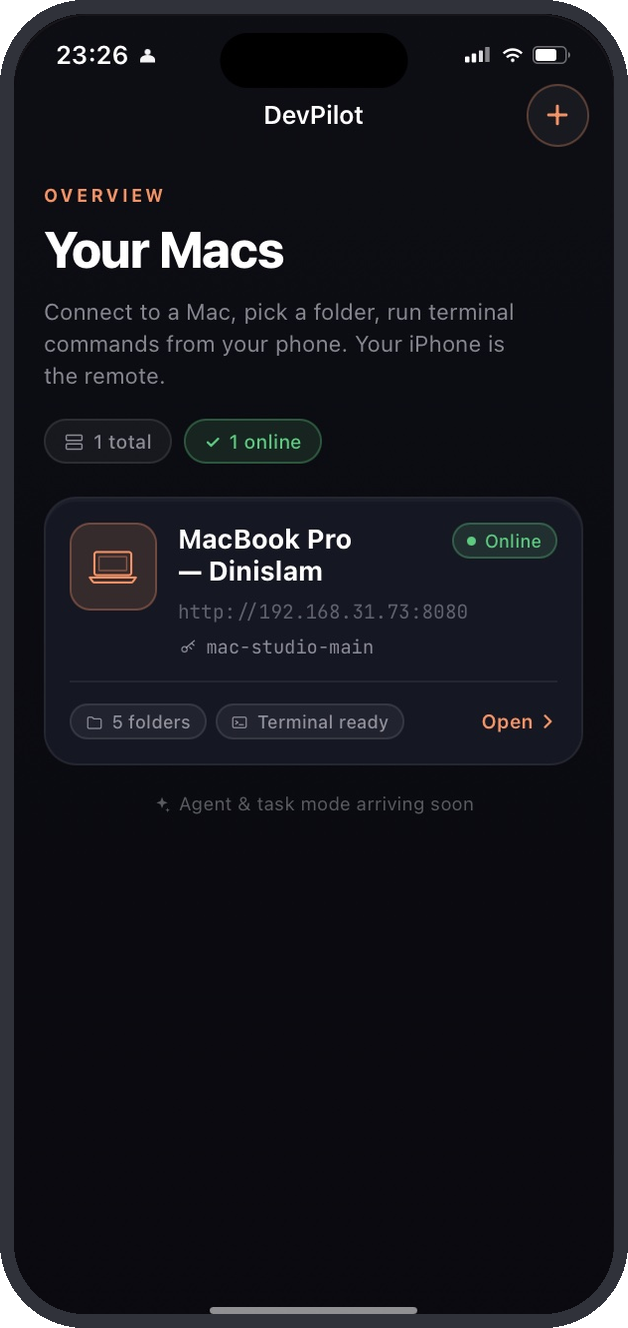
Install the menu-bar agent on your Mac, pair your iPhone once, and you're in. No port forwarding, no SSH keys to manage.
A tiny menu-bar app keeps your Mac available on your local network. Pick the folders you want to expose, hit Start.
Open Cmdora on your iPhone, scan the pairing code from your Mac. Your phone remembers it from then on.
Tap a folder, get a real terminal with live output, ANSI colors, history, and special keys — right under your thumbs.
Start a Codex task in your project, review the plan, and decide when files can change.
Start a Codex task in your project from the phone.
The agent proposes changes. Nothing touches your files yet.
You get a push notification, review the diff, approve or reject.
Changes are applied only after your approval. The agent works in an isolated copy until you say yes.
Requires Codex CLI installed on your Mac.
Three screens, one job: get you from your couch to a working shell as fast as possible.
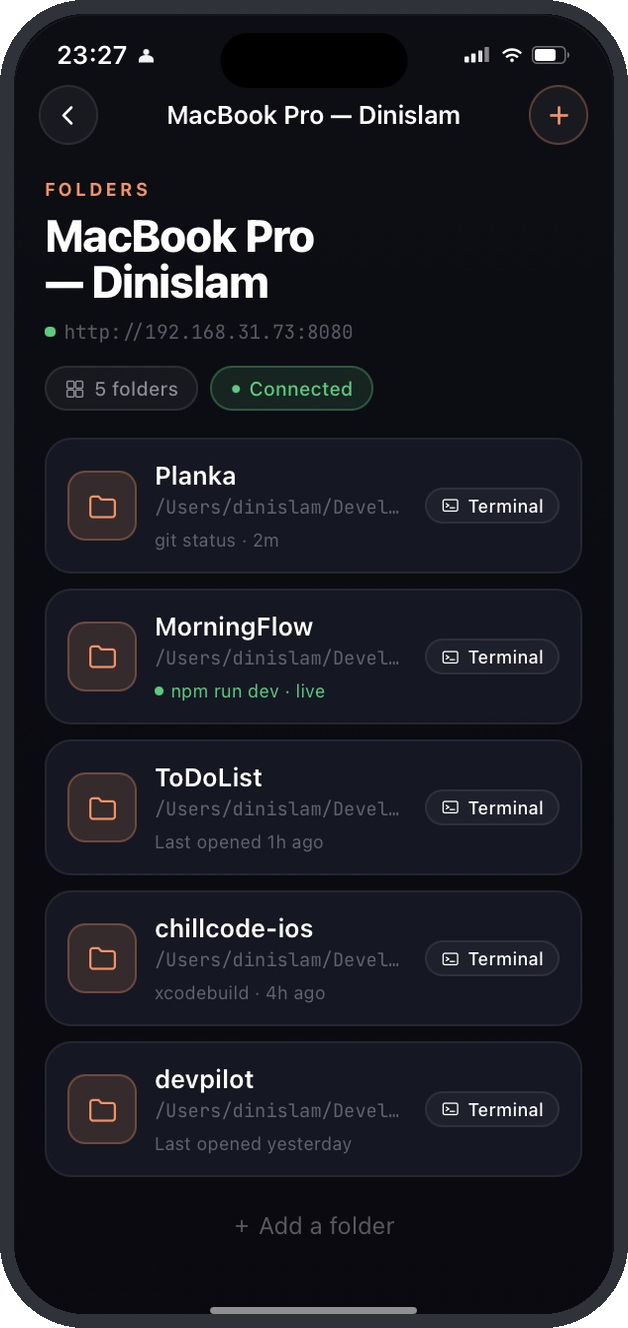
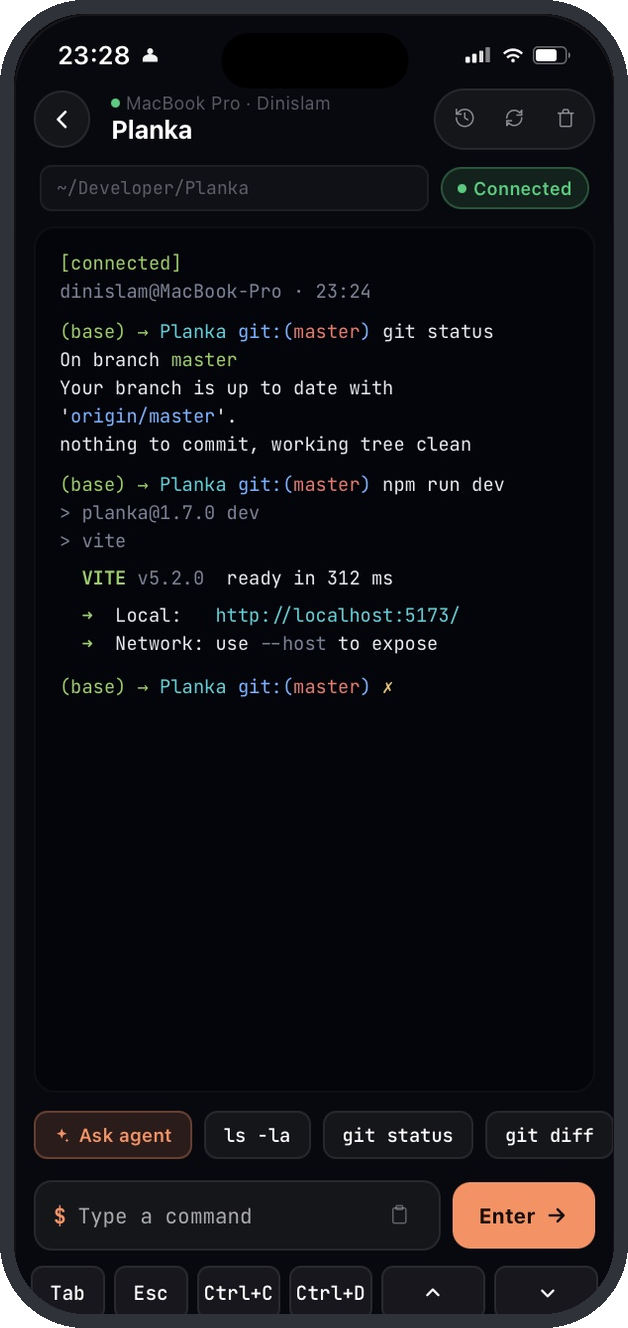
Everything you reach for at a desktop, sized for a thumb and a 6″ screen.
Real PTY on your Mac, streamed to your phone with ANSI colors, scrollback, and auto-scroll.
Tab, Esc, Ctrl-C, Ctrl-D, arrow history — on a fixed row above the keyboard, never buried.
Save the lines you actually use. git status, npm run dev, your build — one tap away.
Whitelist project folders on the Mac side. Your phone only sees what you let it see.
Commands and output stay on your local network. Push notifications go through our relay — it sees event types, never your code or output.
↑ and ↓ walk through everything you've typed before. Reconnect, pick up exactly where you left off.
Cmdora doesn't simulate a terminal — it streams a real one. zsh, bash, fish, your aliases, your .zshrc. All of it.
Cmdora opens a real PTY in the folder you pick. Whatever runs in your terminal at the desk runs here — git, npm, vite, docker, brew, your own scripts.
Quick command chips put your most-used lines one tap away.
Check on a long build without standing up. Restart the dev server from the kitchen.
Tail logs and bounce a service from the metro. Cmdora keeps your Mac awake while you work — and tells you when it goes on battery.
Pull, run tests, push a fix before sleeping. Without opening the lid.
Git status across projects. Disk space. Process check. Anything that's a one-liner.
If something's missing here, write to support@cmdora.app.
No. Cmdora is a menu-bar app on your Mac and an app on your iPhone. They find each other on your local Wi-Fi. Nothing flows through us.
Today, Cmdora works on your local network. Tailscale or any wireguard mesh works fine if you want it from the road — your Mac just needs to be reachable.
No. If you ever open Terminal on your Mac — even occasionally — Cmdora is for you. Sysadmins, students, hobbyists, anyone with a Homebrew habit.
Whatever you've set as your login shell. zsh, bash, fish — Cmdora opens a real PTY, so your dotfiles and aliases load as usual.
Free while in TestFlight. Pricing will be announced at public launch.
Cmdora is in TestFlight now. Grab the Mac agent, install on your iPhone, pair once.